

 Selling Basket
 Login
Login Sign up

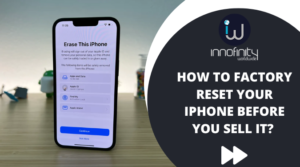
Buying a new iPad is always pretty exciting. It’s a real ecstasy to unbox the new device, fiddle with it, browse through the new features and tweak the factory settings to customise the setting to your use and needs. However, what about the old phone that you have got? You need to sell off. However, before you do so, you need to factory reset it. On this page, let us discuss how to factory reset before you trade in Apple iPad 1 online in the UK if you have one.
What is the Benefit of Factory Resetting Your Old iPhone?
When you erase the content of your iPad and give it a factory reset before selling it, you are actually protecting whatever sensitive personal data that you have on your iPad. It will take a very minimal time and by doing so you will be able to save a lot of time and get rid of stress. On this page, let us discuss the steps you take to remove the data.
Do Not Forget to Back Up Your Data Before Erasing
If you are willing to retain the data that is already there on your iPad before you erase and then reset it and sell your old Apple iPad 2 in the UK, you will have to first need to back up your iPad data. There are two ways using which, you can backup your iPad through Mac or Windows PC. However, the easiest way to do it is by using iCloud.
You can take the backup by using iCloud by selecting the ‘Settings’ option and type your name at the top of that page. Then you need to select iCloud and then go to iCloud Backup. Next, you need to choose “Turn on iCloud Backup” and enable it. Once done, your iPad will take the back up automatically once in a day whenever the device is connected to power, or the internet, and is locked.
Now in case you want to back up your iPad data manually, you need to follow the same steps as mentioned above but with a little difference. Once you select the iCloud Backup you need to opt for the “Back Up Now” option. You will be able to view the previous backups by going to the Settings, then type your name at the top of the page, then option iCloud, select the Manage Storage option and then choose Backups.
You need to keep one thing in mind here before you sell an old Apple iPad 3 in the UK. You need to make sure, whatever you are taking backup of the data, your iPad needs to remain connected to your home internet as well as a power source. This will make sure you are not draining your battery or your data when you are taking the back up of your device.
Finally – Erase the Data
Now that the saving of data is finally done with, it’s finally the time for you to erase the data from your device. Just like taking the backup from your iPad, you can take two ways to erase your device – with your Mac or the Windows PC, or directly on your iPad. Again, resetting the data directly from the iPad is the easier option.
To erase the data from your device, select Settings and then go to the ;’General”option. Click the Transfer or Reset iPad and then tap the option “Erase All Content and Settings.”
Innofinity Worldwide is the best name to turn to, to sell your iPad 1, 2, or 3 online in the UK. Call us at 020 3196 3165 or email at customer.services@innofinity-worldwide.com for a quote.